
You can choose when your players will receive notifications from the app.
To do this, you must go to the back office in the CONFIGURATION menu. Click CONFIGURATION, and then choose APPLICATION.
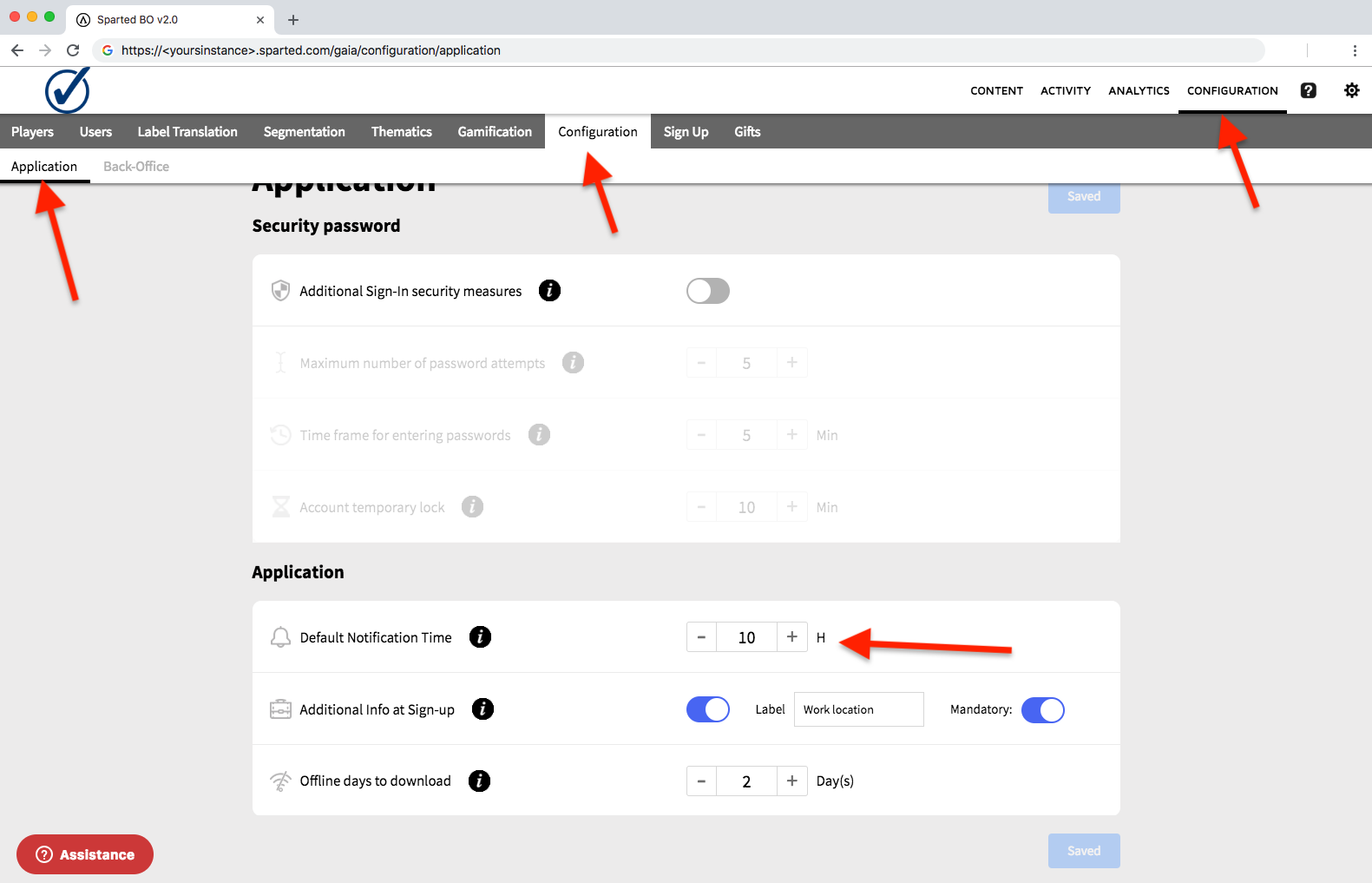
Do not forget to click on Save before closing the window
App notifications are sent directly from Apple and Google to your players' devices.
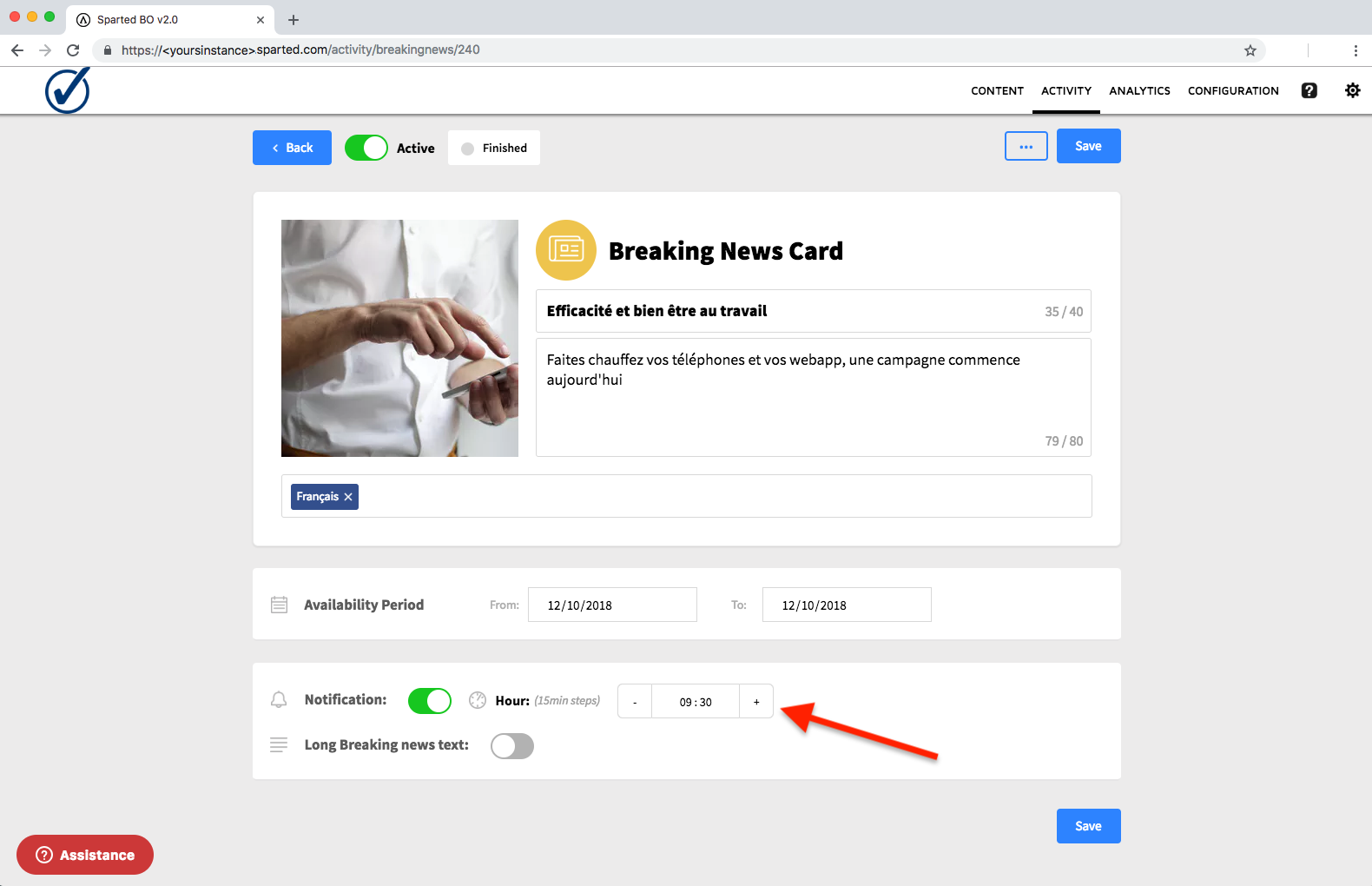
The notification time of the Breaking News is set directly in the creation page of a the breaking news.
⚠️Sometimes, a player may not receive a notification. This is not a sending error, but can be related to any of the following:
- The player had the application already open at the time of notification.
If a player is using the app when it is received by the phone, then the app does not need to display this notification.
- The player has already played the content of the activity before the arrival of the notification.
A notification is an invitation to play an available content. If the player played before the arrival of a notification, he has no more available content. In this case, the application will not send a notification.
- The player has disabled his notifications.
A player have the option to disable the display of notifications on their phone. We can not change this setting. He will never receive a notification.
- The player is in "Do not disturb" mode on his phone.
The undisturbed mode will mute the sending of a notification on the phone. The player will not have a visual notification either. All notifications received during this mode will need to be viewed in the notification log.
- The player received the notification normally but it mixed with other services and he deleted it without seeing it.
If the player receives a lot of notifications at the same time, it can get lost in the mass and go unnoticed. Today phones can erase all of their notifications in one button.
Comments
0 comments
Please sign in to leave a comment.